How to display the score only after submit?
"participants can get their scores immediately upon submission"- Google Docs Editors Community
When a scored form shows the total as people answer, some of them go back and change answers for a better number. You want them to answer honestly and see the score only once they submit. A Google Forms quiz can hold the score back, but only a quiz score from its answer key, not a total worked out from points on a scale, and 20 people on Google's forum have asked for that total right after submit. With Formfacade, you hide the Score question so nobody sees it while answering, and the message after submit shows their score. You write that message yourself, so it can also say what the score means.
Let's start. Import your Google Form and follow the steps below.
How to assign points?
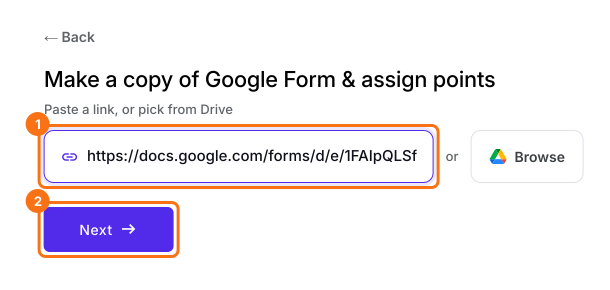
- On the page that opens, paste your Google Form's link or click Browse to pick it, then click Next.
- A description is already written under "Describe how you want to score this form". Change it to say how you want to score your form, for example: "Give each answer its points and calculate the score. Hide the score on the form and show it in the message after submit." Click Next.
- "How do you want to score?" shows what it did. Click View points to check the points for each answer, then click Next.
- On "You're all set!", click Preview form. Your form opens with its score in a new tab.
- Back on this page, click Share form under Manage: your form opens on the Share tab. Click the Edit tab.
How to hide the score in the form?
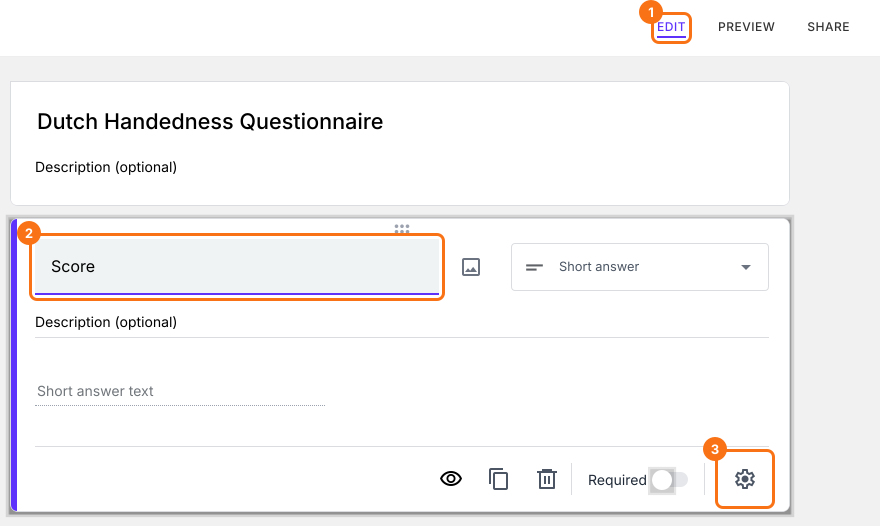
- In the Edit page, click on the Score question, then click on the gear icon.
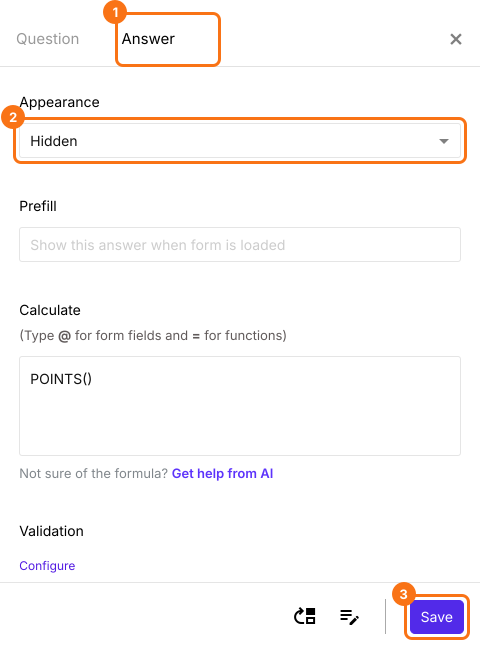
- Click Answer, change the Appearance to hidden and click Save.
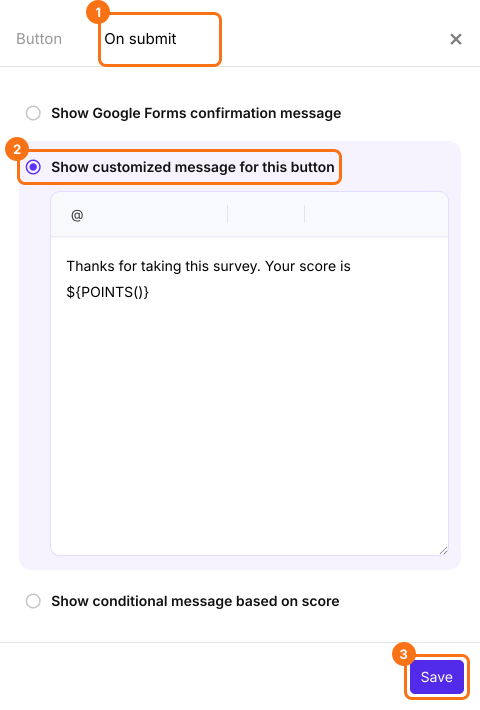
How to customize confirmation message?
- Scroll down to the end of the form and click on the gear icon on the last "After page" row, above the Submit button. It says "After page 1" on a form with one page.
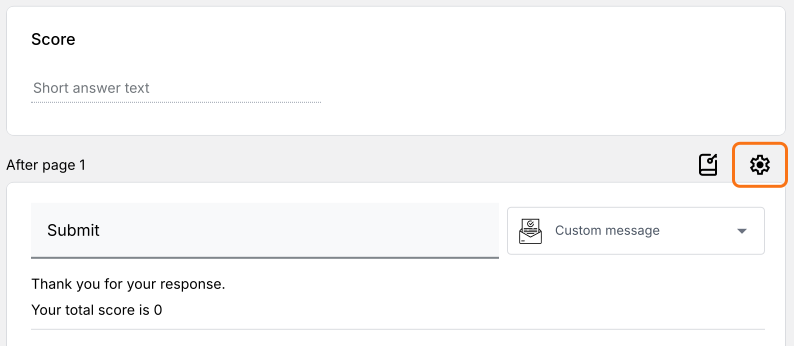
- Click On submit. Select Show customized message for this button. Update the message and click Save.

Summary
Hide the score in your Google Form until people submit.
Import your Google Form and set the Score question's Appearance to hidden. People see their score only in your message after they submit.