Lookup data from Google Sheets in Google Forms

Populate dropdowns and autofill fields from a Google Sheet. No code.

Student Roster Live STUDENT CLASS ROLL NO Ava Thompson 8A 21 Liam Carter 8B 22 Sophia Nguyen 9A 23 Noah Patel 9B 24 Mia Garcia 10A 25 Lookup Student Details Select a student to auto-fill their details Student * Liam Carter Class 8B Roll No 22 Auto-filled from your sheet Submit

Why us?

Populate dropdowns and autofill fields from a Google Sheet. No code.

Lookup from Google Sheets

Pull data from your spreadsheet into your form as a live dropdown list, or validate what respondents enter against the records in your sheet

Lookup from Google Sheets
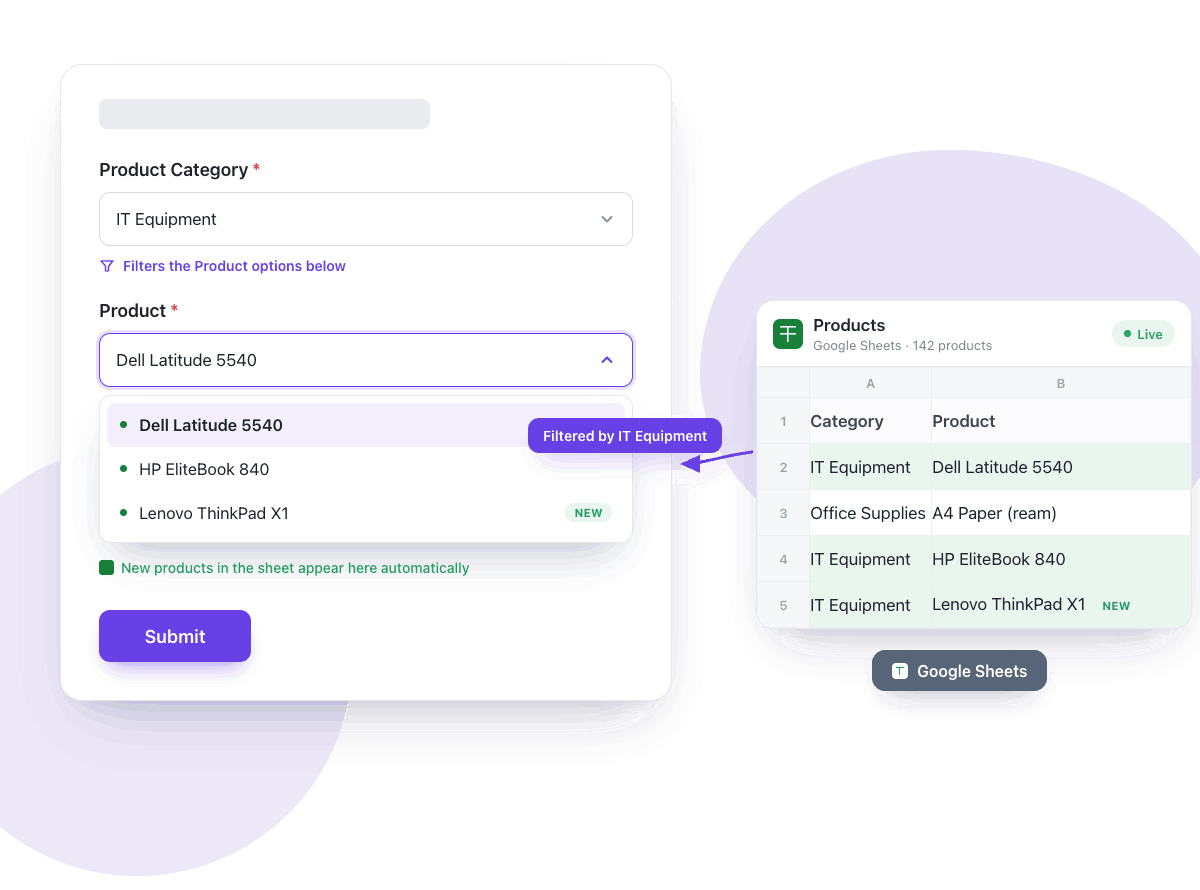
Conditional dropdowns

Conditional dropdowns

Filter the next dropdown based on a previous answer, like picking a category and seeing only its products, with choices pulled from your Google Sheets

Autofill related fields

Populate multiple fields at once, automatically pulling data from one or more connected sheets, when the respondent selects or enters an answer

Autofill related fields
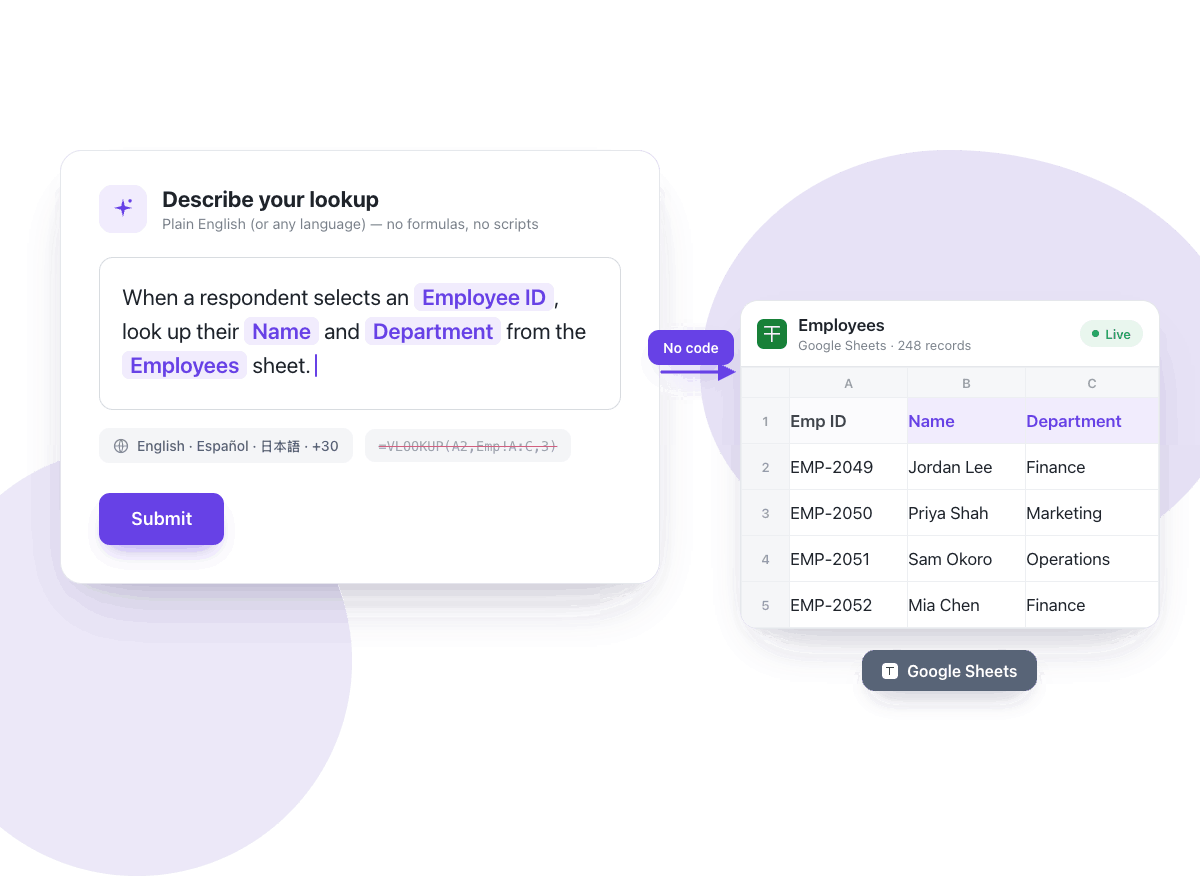
No code lookup

No code lookup

Use simple instructions in English or your preferred language to connect your Google Sheets and lookup data in your Google Forms

Always in sync

Automatically sync your sheets every 30 mins or sync on every form submission, so that the dropdowns and lookup fields stay accurate


Always in sync
Built for large lists

Built for large lists

Handle hundreds or thousands of options, like medications or product catalogs, with autocomplete suggestions and no performance limits

Single source of truth

Update your data once in a single spreadsheet and every connected form reflects the change. Your sheet is only ever read, never modified


Single source of truth

Connect once. Stay in sync forever.

Three steps from a spreadsheet to a live data source for your forms.

1

Connect

Pick a Google Sheet. Your sheet is only ever read, never modified.

2

Sync

We keep your data fresh, syncing every 30 minutes or on every form submission.

3

Lookup

Populate dropdowns, build conditional dropdowns, and autofill related fields in your form.

Customers love us

Karen Launchbaugh

I really like using google forms. But, I needed something that looked a bit more professional and I stumbled across formfacade. It works great! Easy to use and include on my Wordpress site. It was also easy to download the information submitted through the form. This is absolutely one of the best apps I have ever used in terms of service and support.

Dorothy Jem Chen

Hands down one of the best add ons in Google Forms especially if you feel so limited in Google Forms. It has features like calculations - which is perfect for automating your processes. It also makes your form look minimalistic compared to the bulky design of Google Forms.

Michael Simpson

This is an amazing add-on. It provides another level of control of the look and functionality of your Google Form. The product is well thought out and easy to use. The support is great! Fast answers that went above and beyond.

Aimee Cerka

An extra 5 minutes of work to incorporate my Google Forms into my website and present a more unified brand look, that is extremely valuable.

Alexandre Bosch Puig-Alsina

I really enjoy using Google Form as a tool to do my job, but appearance is not its best part. Formfacade helped me embed it in my website and make it look more professional.


Caio Cézar

We were using Google Forms for almost 2 years, but when we found Formfacade we immediately switched to Formfacade for its aesthetics and possibility of form customization in greater detail. It enhances the customers’ perception of your website and your brand.


From startups to corporates.
2500+ companies trust us.

One spreadsheet. Every form in sync.