How to save Google Forms uploads without using your Drive storage?
"Google Forms file upload stopped despite total uploaded files being under 1GB"- Google Docs Editors Community
This is a common problem with file uploads in Google Forms. If your job application form asks for a resume and a cover letter, it can stop taking files one day. Every file sent through Google Forms goes into your own Drive. Asking people to email their files instead means matching each one to its application by hand.
In this article, we will show you how to send each applicant's files to Formfacade's storage, so that your form doesn't depend on your Drive.
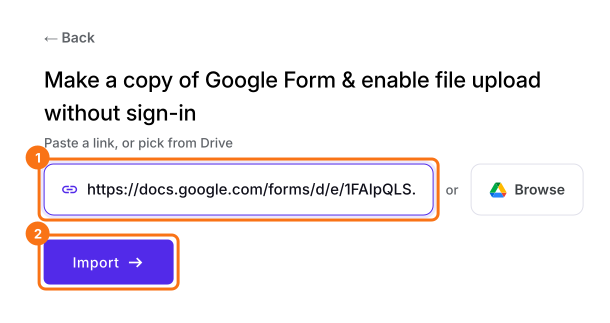
1. Import your Google Form
Click Import Google Form, paste your form's link and click Import. Formfacade makes a copy with its own upload questions, and your original form stays as it is.
2. Check your storage
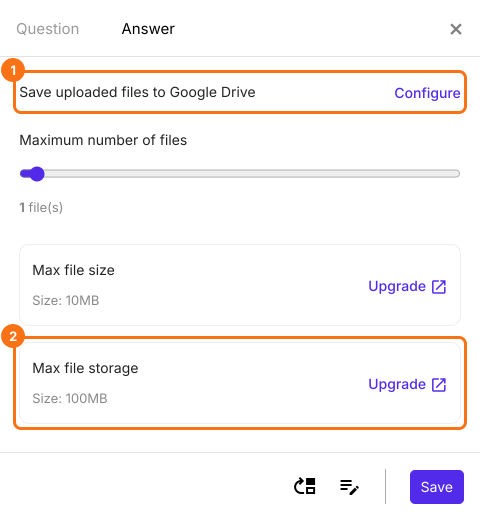
In EDIT, click an upload question, click the gear and open Answer. Max file storage shows your plan's space, and files reach Drive only if you click Configure.
3. Applicants add their files
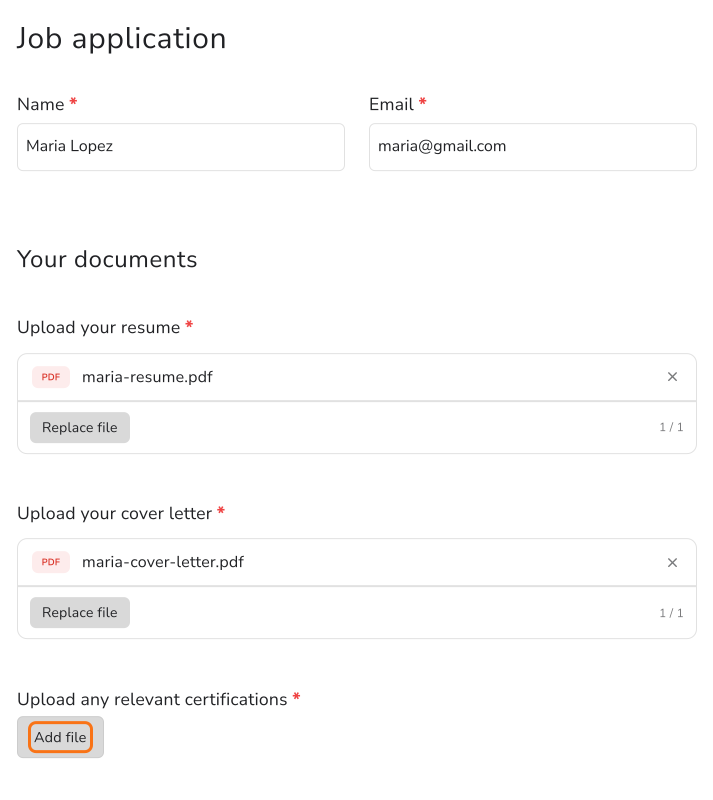
Open SHARE, click Copy and send applicants your form's link. They click Add file and upload with no Google sign-in.
4. Open each applicant's files
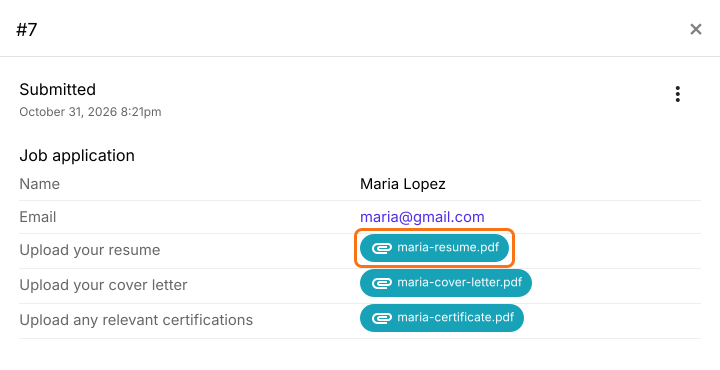
Open RESPONSES, then Kanban board, and click a card. Click a file to open it.
5. Find the links in your Google Sheet
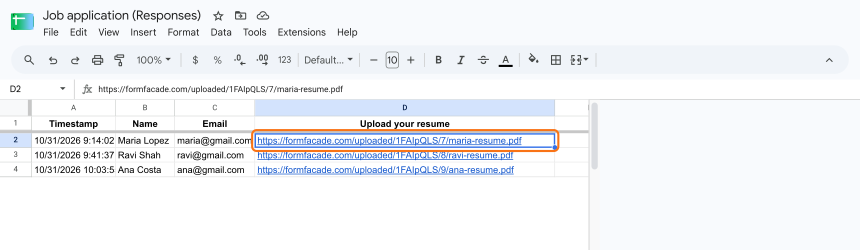
If your form is linked to a Google Sheet, each file shows there as a formfacade.com link. The files stay out of your Drive.
Summary
If your application form stops taking files, or every upload fills your own Drive, asking people to email files only means more matching by hand. With Formfacade, each applicant's files go to Formfacade's storage, and you open them from the response or from the links in your Google Sheet.
Last updated: