How to email each person their quiz score?
"Can a user submitting a Forms quiz be shown a score based on a calculation?"- Google Docs Editors Community
This is a common question from people building quizzes in Google Forms. If you run a quiz, each person should get a score worked out from their answers as soon as they submit. Google only totals its own answer key, and you can't write the email it sends. A script is one more thing to build and look after.
In this article, we will show you how to email each person their own calculated score as soon as they submit your quiz.
1. Say how to work out the score
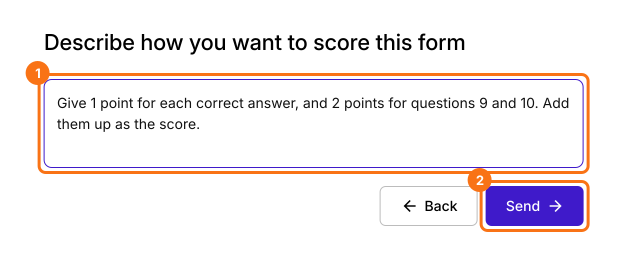
Click Import Google Form, paste your quiz's link and click Assign points. Type how the score works, in your own words, and click Send.
2. Check the Score field
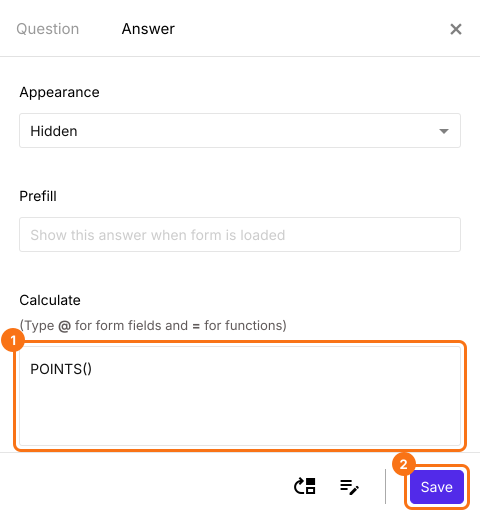
Your form now has a Score field that holds each person's total. Click it, open Answer, check that Calculate says POINTS() and click Save.
3. Turn on the email
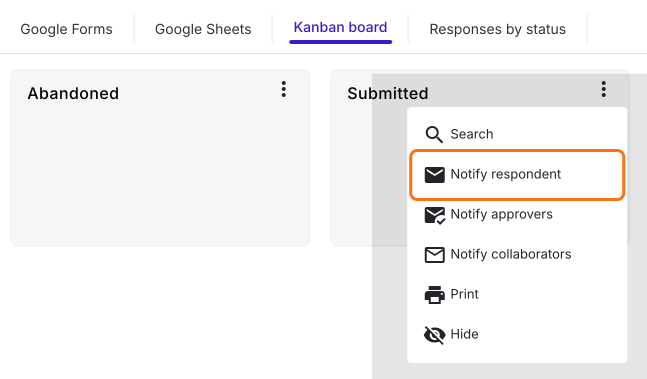
Open RESPONSES, then Kanban board. Click the three dots on Submitted, then Notify respondent, and pick the question that holds each person's email.
4. Add the score to your email
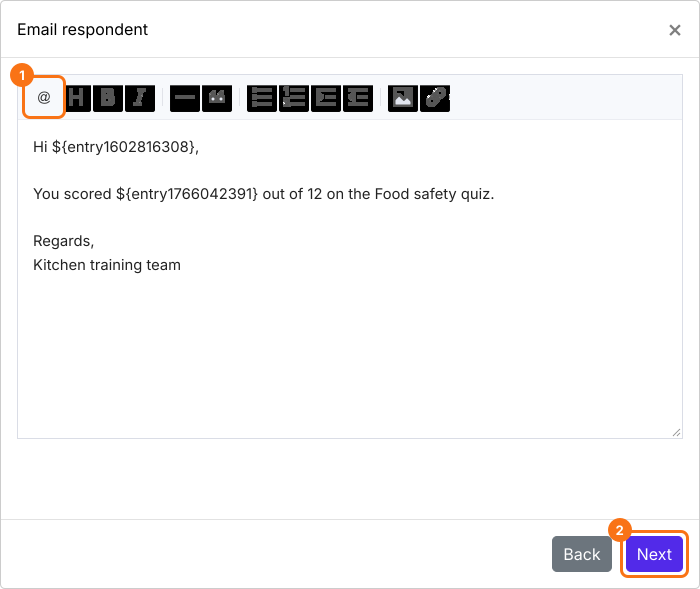
In the message, click @ in the toolbar, pick Score and click Next. The code you see here becomes each person's own number.
5. Each person gets their score
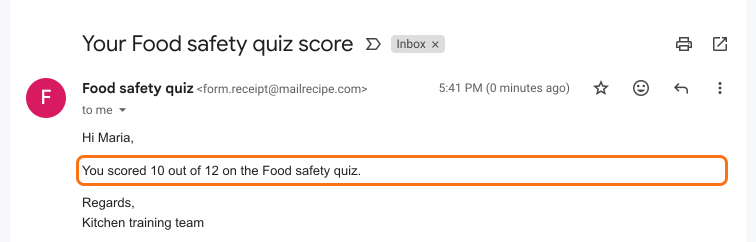
Send yourself a test when it asks, and click YES when the email arrives. From now on, each person gets their own score as soon as they submit.
Summary
If each person should get a score worked out from their answers, Google's quiz settings fall short and a script is one more thing to look after. With Formfacade, you say how to work out the score, add it to your email, and each person gets their own score as soon as they submit.
Last updated: