Built-in version control
This is a common question from people who keep improving an AI model. Each new version has to be trained and deployed and you have to remember which one is live. If you fine-tune on OpenAI or Gemini directly, doing this yourself adds work that has nothing to do with your task. With Promptrepo, the built-in version control does this for you and you will see the live version and its history in Google Sheets. Even better, you can focus on improving accuracy, while we handle the grunt work.
Let's start. Create your AI model and you will see its version in its name.
Promptrepo's built-in version control manages the complexities of model training, deployment and ongoing updates, ensuring that your AI system runs smoothly. This allows you to focus on refining and optimizing the model, iterating on its capabilities and aligning it with your specific goals, while we handle the operational overhead.
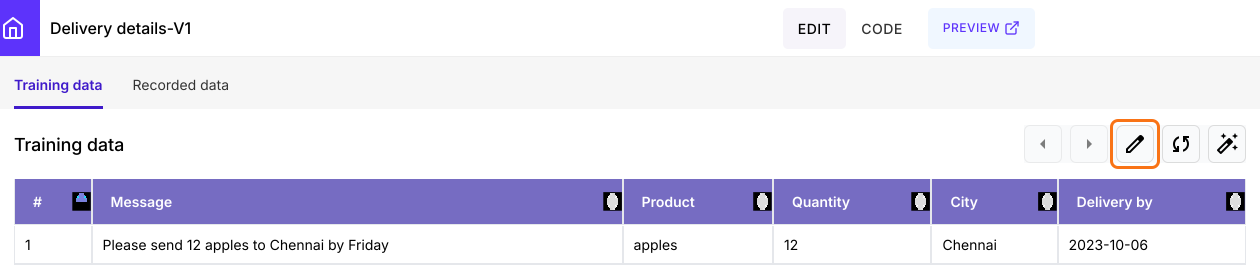
A new model starts at version 1. Its name shows that, as in Delivery details-V1.
Version history
- Open your model's Google Sheet. On the model page, click on the edit icon on the Training data tab.
- The first time, click Extensions > Add-ons > Get add-ons, search for "Promptrepo" and click Install
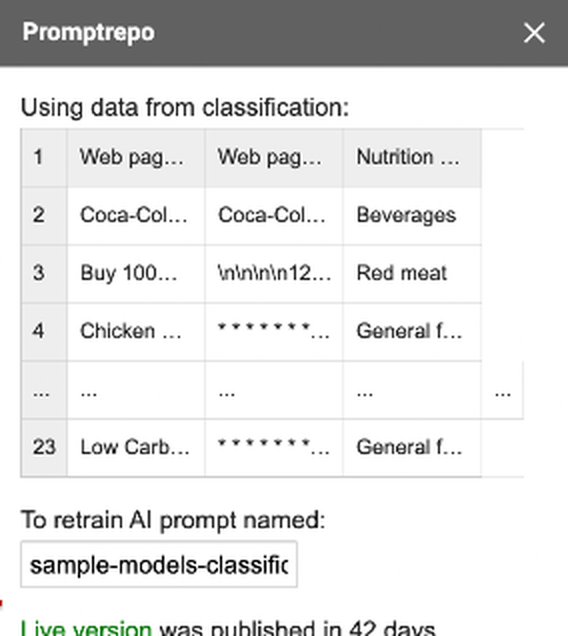
- Click Extensions > Promptrepo > Train AI. The Promptrepo sidebar widget will be displayed.
- Promptrepo will show the details about the live version. You can click on the "More" option to review the version history.
Summary
If you keep improving a model, keeping track of its versions adds work. With Promptrepo, the live version and its history are shown for you in Google Sheets. Create your AI model and you will see its version in its name. If you have any questions, write to support.
Last updated: