如何變更 Google Forms 的字型?
"變更表單答案欄位的字型大小"- Google Docs Editors Community
您已經為品牌挑好了字型,但您的 Google Form 卻沒有使用它們。Google Forms 讓您為頁首、問題和文字選擇字型樣式和大小,但沒有字型顏色,所以表單看起來還是跟其他 Google Form 一樣。使用 Formfacade,您可以選擇標題和段落的字型、大小和顏色,還能不用 iframe 就把表單嵌入您的網頁,讓它和您自己的文字放在一起。
建立您的表單,並依照下列步驟操作。
如何變更字型?
- 在開啟的頁面中為表單命名,點選 Build form,再點選 Proceed。您的表單會在「Preview」分頁中開啟。

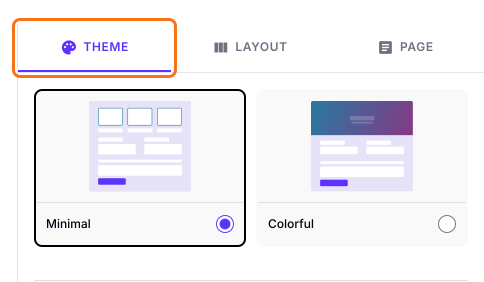
- 開啟 THEME 分頁。
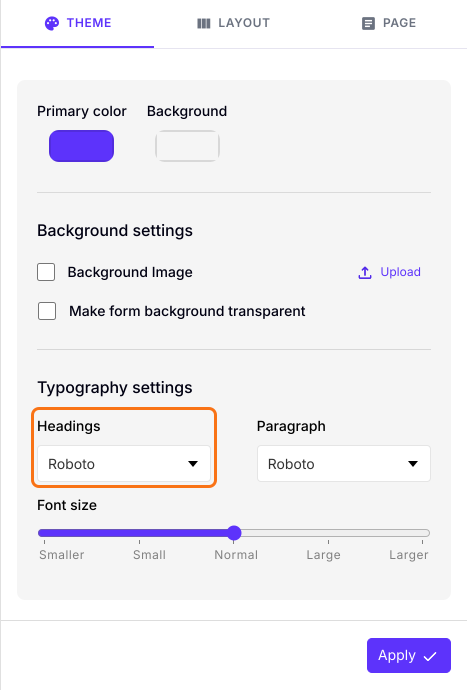
- 捲動到 Typography settings。
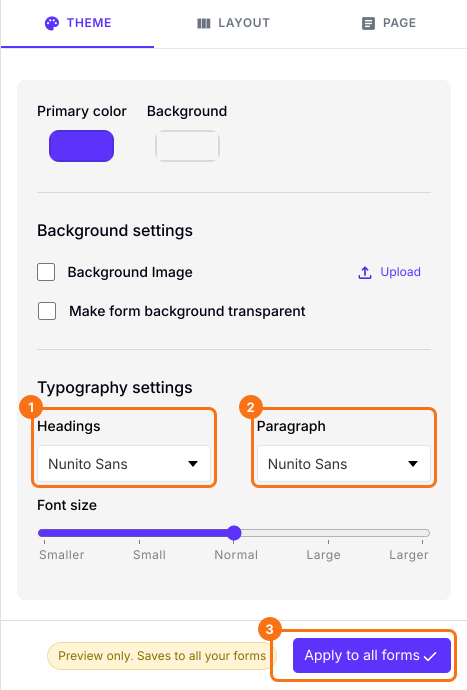
- 從下拉選單的字型清單中,選擇要用於 Headings 和 Paragraph 的字型。例如:Roboto。
- 您也可以變更 Font size。
- 點選「Apply to all forms」按鈕,這會變更您帳戶中所有上線表單的字型,而不只是這一份。
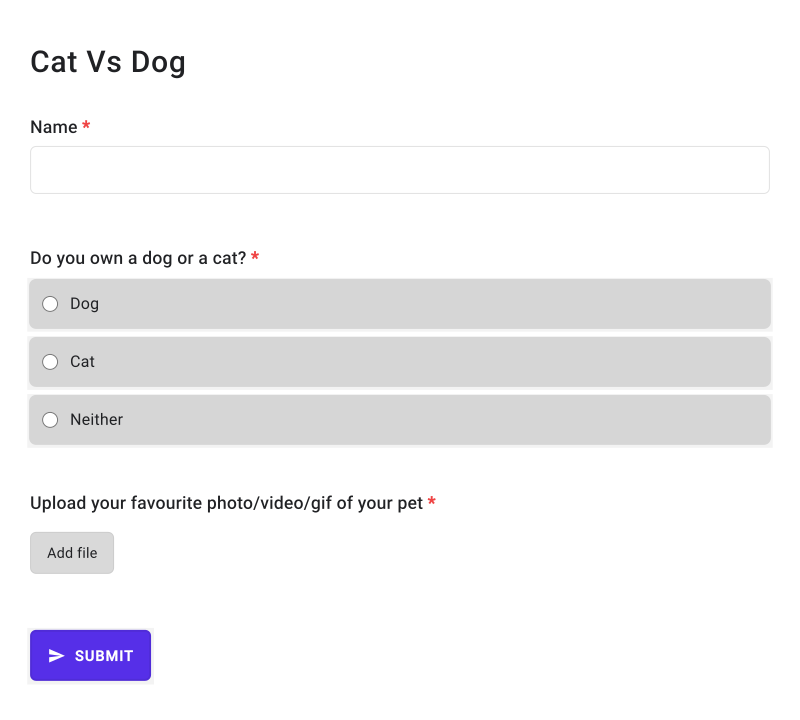
您的表單會顯示您選擇的字型。
摘要
Google Forms 的字型選擇有限,表單看起來還是 Google 的樣子。使用 Formfacade,您可以選擇標題和段落的字型與字型大小,並套用到您的表單。建立您的表單並完成上述步驟。
最後更新: